Billing FAQ
Answers to common questions about plans, invoices, payment, trials, cancellation, and usage limits. For account-specific questions, contact support from the Dashboard's Billing page.
This page is a placeholder. Items flagged with TODO product: below need confirmation from the product team before this FAQ goes to customers.
Plans & Pricing
What plans do you offer?
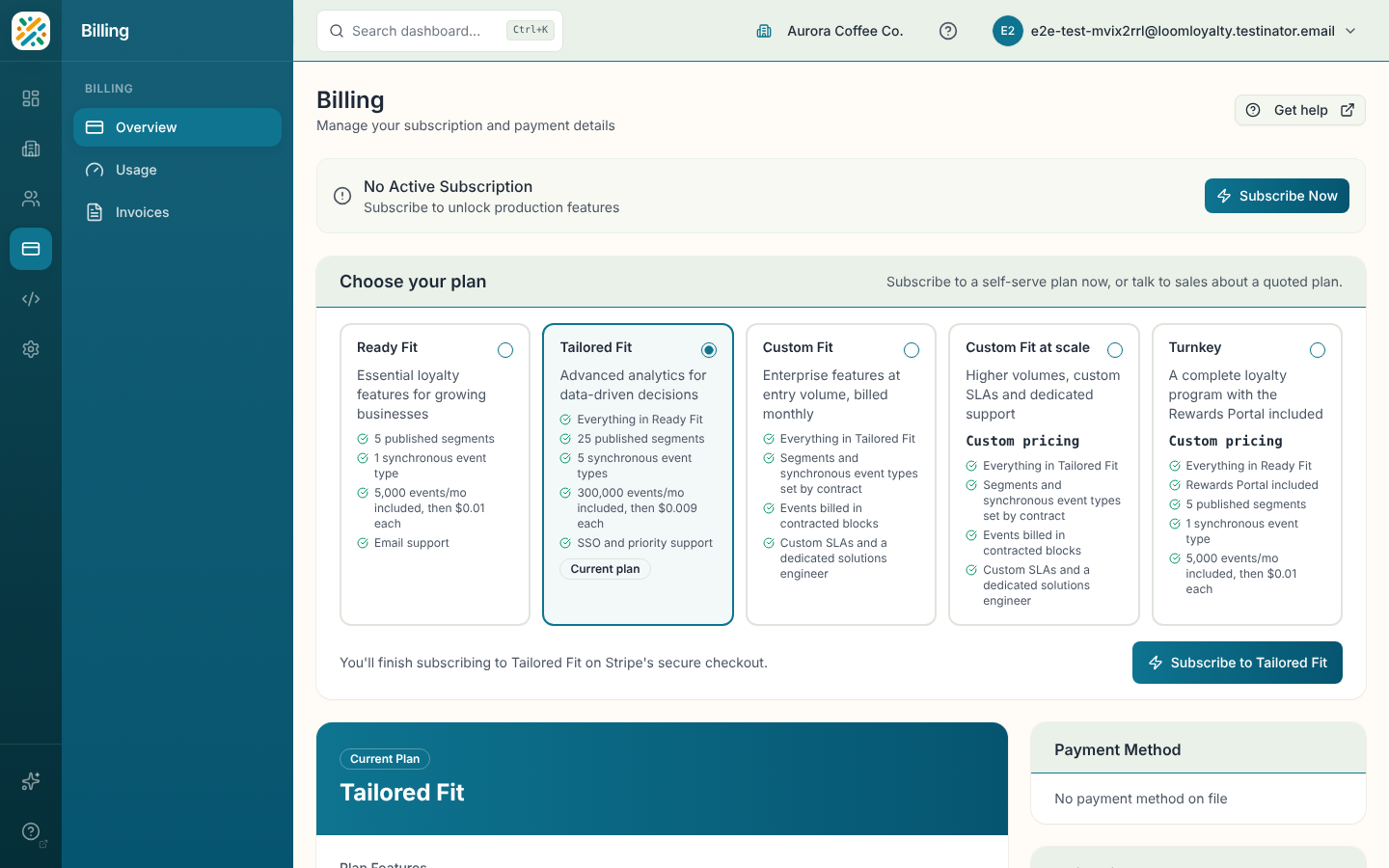
Weave has four plans, plus a trial:
| Ready Fit | Turnkey | Tailored Fit | Custom Fit | |
|---|---|---|---|---|
| Price | $45/month | Custom pricing | $2,500/month | Custom pricing |
| Published segments | 5 | 5 | 25 | Set by contract |
| Synchronous event types | 1 | 1 | 5 | Set by contract |
| Events included per month | 5,000 | 5,000 | 300,000 | Set by contract |
| Events past the included amount | $0.01 each | $0.01 each | $0.009 each | Billed in contracted blocks |
| Support | SSO and priority support | Custom SLAs, dedicated solutions engineer |
Turnkey is Ready Fit plus the Rewards Portal. Custom Fit limits are agreed in your order form.
You can compare plans and start a checkout from the Billing page in the Dashboard.
What's the difference between Ready Fit and Tailored Fit?
Tailored Fit includes everything in Ready Fit and raises every limit:
- 25 published segments instead of 5
- 5 synchronous event types instead of 1
- 300,000 events per month included instead of 5,000, with a lower overage rate ($0.009 instead of $0.01)
- Single sign-on (one connection) and priority support
If you need more than five live segments or more than one synchronous event type, Tailored Fit is the right starting point.
How is Custom Fit priced?
Custom Fit is designed with your platform and operations leads. Your segment and synchronous-event-type limits are set by contract, and events are billed in the block size you agree. It includes custom SLAs for uptime and support response, a dedicated solutions engineer and migration assistance. Contact us through the Dashboard to start a conversation.
Which add-ons can I buy?
Three add-ons are billed monthly on top of your plan:
- Single sign-on & domain verification: $150/month. Lets your team sign in to the Dashboard and Hub through your identity provider, and verifies your email domains. Tailored Fit includes one connection, and each extra connection is $150/month, arranged with us. Custom Fit includes it.
- Rewards Portal: $100/month. A member-facing rewards site for your customers. Included with Turnkey.
- Webhooks: $250/month. Outbound webhooks, inbound webhook ingest and OAuth connectors. Ready Fit and Turnkey can buy it; Tailored Fit and Custom Fit include it.
Buy an add-on, or turn on one your plan includes, from Organization → Features, which shows each add-on's price. Plans that include an add-on still need it turned on, at no charge. If you cancel, the add-on keeps working until the end of the period you paid for.
Billing & Invoices
When am I billed?
Paid plans bill on a recurring cycle. Each invoice covers the previous billing period and is charged automatically to the payment method on file.
Confirm the exact billing cycle (monthly vs. annual options) and the date of the first charge relative to plan upgrade.
Where can I download invoices?
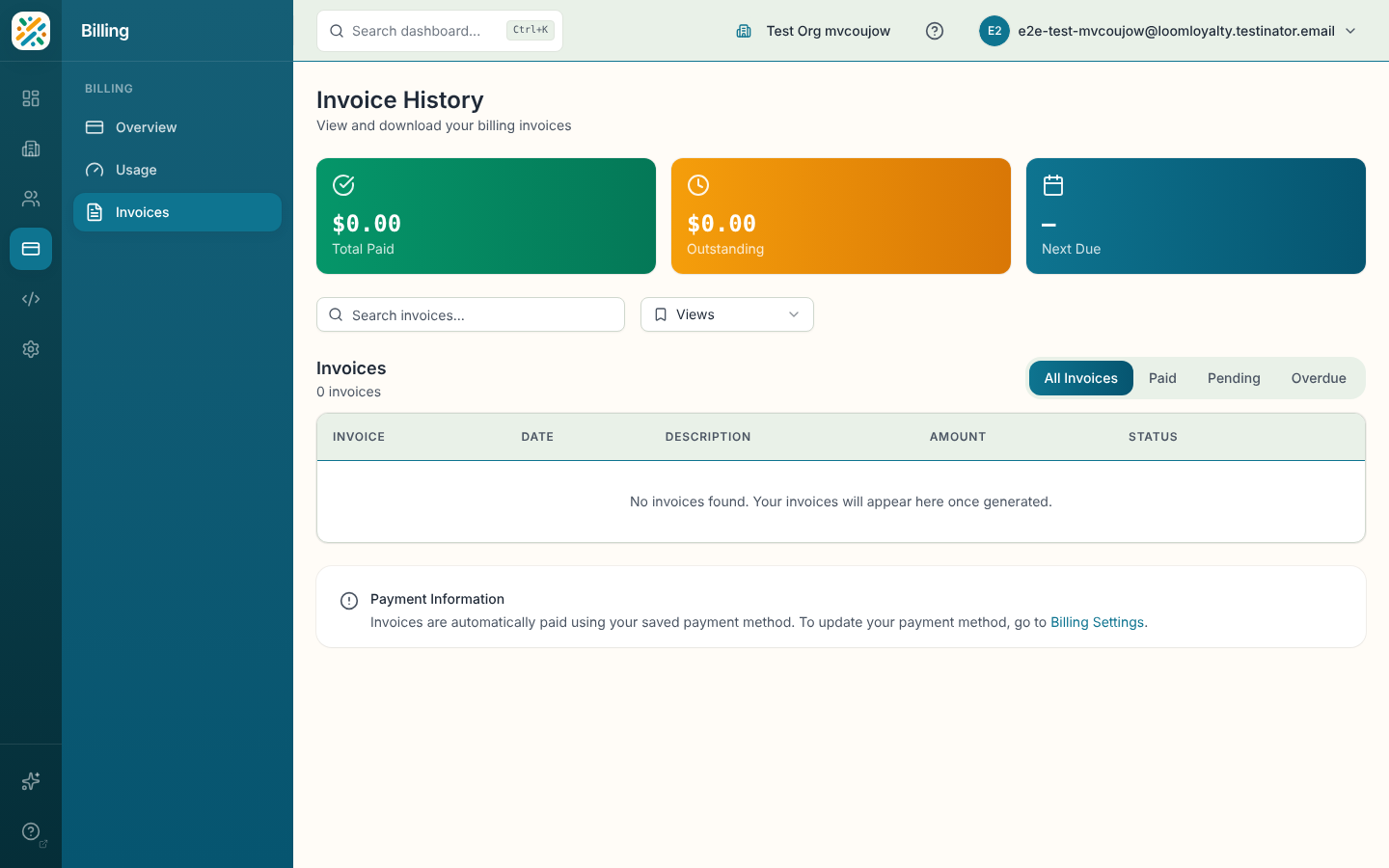
Open the Billing page in the Dashboard. Each invoice has a hosted invoice link and a PDF download. Invoices are also accessible from the Stripe-hosted billing portal you can reach from the Dashboard's Billing page.
What does each invoice status mean?
Invoices show one of three statuses:
- Paid: The invoice has been charged successfully and no action is needed.
- Pending: The invoice has been issued but not yet charged. This is normal for invoices that are still inside their grace period.
- Overdue: The invoice was not paid by its due date. Update your payment method through the billing portal to avoid service interruption.
Payment & Customer Portal
How do I update my payment method?
Open the Billing page in the Dashboard and follow the link to the Stripe-hosted billing portal. The portal is where you add, remove, or change the default card on your account. Changes apply to the next invoice immediately.
What payment methods are accepted?
Payment is processed by Stripe. Accepted methods follow Stripe's standard support for your region, including major credit and debit cards. Specific options appear during checkout and inside the billing portal.
Confirm which payment methods we explicitly support beyond cards (ACH, SEPA, wire, etc.) and whether any are restricted by plan tier or region.
Can I change my billing email?
Yes. Update your billing email from inside the Stripe-hosted billing portal you can reach from the Dashboard's Billing page. The billing email is independent from the email you use to sign in to Weave, so receipts and dunning notices can go to a finance contact.
Failed Payments & Restrictions
What happens if a payment fails?
Your subscription becomes past due, and the Dashboard shows a banner on every page with the date you need to fix it by. You keep full access for a 14-day grace period, counted from the start of the billing period that went unpaid. Stripe retries the charge during that time.
The first invoice after a trial is the exception: it has no grace period. See What happens when my trial ends?
To fix it, open Dashboard → Billing and choose Update payment method. That opens the billing portal, where you can add a new card or make another card the default. Once the invoice is paid, the warning clears.
If the invoice is still unpaid when the grace period ends, your organization is restricted.
What does "restricted" mean?
A restricted organization can still read everything, but it can't make changes until billing is fixed. Your organization is restricted when:
- a payment is still unpaid after the 14-day grace period,
- the first invoice after a trial is unpaid, which applies at once, with no grace period, or
- the subscription is unpaid or canceled.
While restricted:
| Keeps working | Is refused |
|---|---|
Viewing anything in the Dashboard and Hub, and every GET request to the API | Creating, updating or deleting configuration (programs, rules, segments, offers and so on) |
| The Billing page and the billing portal, so you can always pay | Sending events to the API (POST /events) and other event writes |
| Your members' Rewards Portal and wallet passes |
Refused requests get a 402 response with PAYMENT_REQUIRED as the error's description; see Errors & Status Codes. The Dashboard shows a "Your subscription has lapsed" banner instead.
As soon as billing is fixed, restrictions lift within about a minute. A canceled subscription can't be revived from the billing portal: start a new subscription from the Billing page instead.
This applies to subscriptions billed through Stripe: the trial, Ready Fit, Tailored Fit and Custom Fit. Turnkey organizations are never restricted.
Trials & Upgrades
Do you offer a free trial?
Yes. New organizations start on a 14-day trial, with no card required. The trial has Ready Fit's limits (5 published segments and 1 synchronous event type) and a hard cap of 5,000 events per month: once the cap is reached, new events are rejected until the next calendar month (UTC). Paid plans never reject events.
How do I upgrade or downgrade?
From the Billing page in the Dashboard, choose a different plan and follow the checkout flow. Upgrades take effect immediately, and your new limits apply within about a minute. Downgrades take effect at the end of your current billing period, so you keep paid-tier features until the period ends.
A plan change you make in the Stripe-hosted billing portal applies to your organization in Weave automatically, including a switch between monthly and annual billing.
What happens when my trial ends?
If a payment method is on file, your subscription converts to a paid plan and the first invoice is issued automatically.
If no payment method is on file, the first invoice can't be charged. Your subscription becomes past due and your organization is restricted straight away: the 14-day grace period for failed renewals doesn't apply to it. To fix it, open Dashboard → Billing and choose Update payment method, then add a card and pay the open invoice in the billing portal. Restrictions lift within about a minute of the payment.
During the last 7 days of your trial, the Dashboard shows a banner counting down to the end date with a link to Billing.
Cancellation & Refunds
How do I cancel my subscription?
The organization's owner cancels from Danger Zone at the bottom of the organization details page. Select Cancel Subscription, say why, and confirm. The cancellation takes effect at the end of your current billing period, so you keep access to paid features until then. Until that date, Keep Subscription in the same place reverses it.
If Loom Loyalty manages your organization's billing or contract, for example on Turnkey or under a contract signed outside the platform, contact your account team to cancel.
Will I get a refund if I cancel mid-cycle?
Since cancellation defaults to "cancel at period end," you continue to use the plan you paid for through the end of the cycle.
Confirm the refund policy for mid-cycle cancellations, plan downgrades, and any exceptions for annual prepay.
What happens to my data after cancellation?
When the cancellation takes effect, your paid plan ends.
Confirm the data retention policy after cancellation: what is kept, what is deleted, and how long customers have to export before deletion.
Usage & Limits
What limits apply to each plan?
Each plan limits three things:
- Published segments. Only segments you create and publish count. Drafts and the system segments Weave creates for you don't.
- Synchronous event types. Event types configured to process synchronously.
- Events per month. Events you send to Weave, counted per calendar month.
The numbers for each plan are in the table under What plans do you offer?. Custom Fit and Turnkey launch-partner limits can differ by contract.
What happens when I reach a limit?
Limits only block adding something new. Anything you already have keeps working.
| You try to | At the limit you get | What to do |
|---|---|---|
| Publish another segment | 422 with PLAN_LIMIT_SEGMENTS_EXCEEDED | Unpublish a segment, or upgrade |
| Create an event type as synchronous, or switch one to synchronous | 422 with PLAN_LIMIT_SYNCHRONOUS_EVENT_TYPES_EXCEEDED | Make another event type asynchronous, or upgrade |
| Send an event on the trial after 5,000 that month | 429 with PLAN_EVENT_CAP_EXCEEDED | Upgrade, or wait for the next calendar month (UTC) |
On the trial, events that arrive through an inbound webhook after the cap is reached are dropped, not queued.
Paid plans never reject events. Events past your included amount are billed at your plan's overage rate.
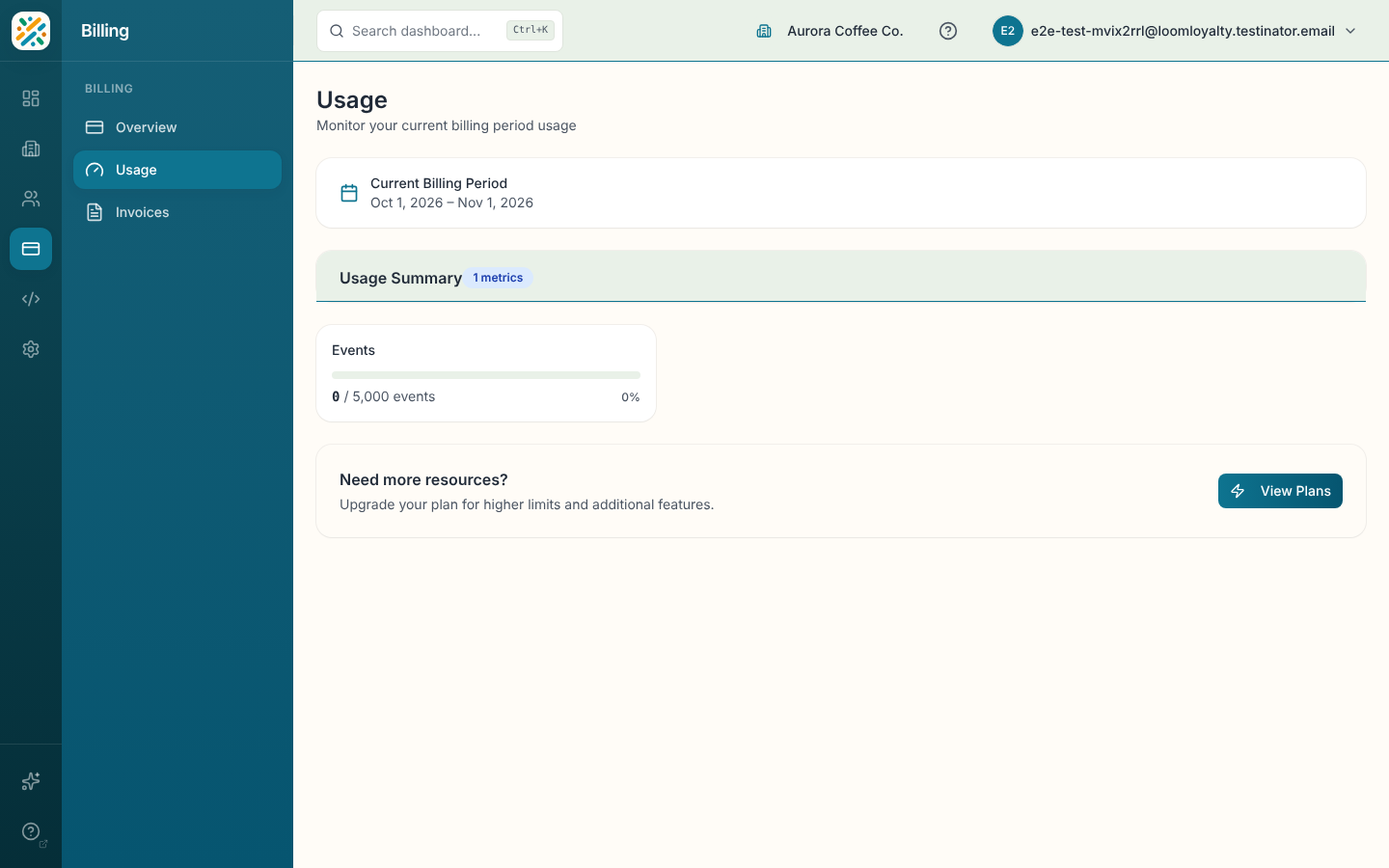
How can I check my current usage?
Open the Dashboard and navigate to Billing → Usage (/billing/usage). The Usage page shows your current period's metrics with one card per tracked metric, such as events this period, your included amount and any overage. Metrics reset at the start of each billing period.