Home
Home is the first page you see after signing in. It gives you a snapshot of your program, shortcuts for common admin jobs, the latest activity in your account, and a checklist that tells you whether you're ready to go live.
The page title reads Welcome, your organization name.
Before you start
Home is open to everyone in your organization. Individual shortcuts lead to pages that need their own permissions.
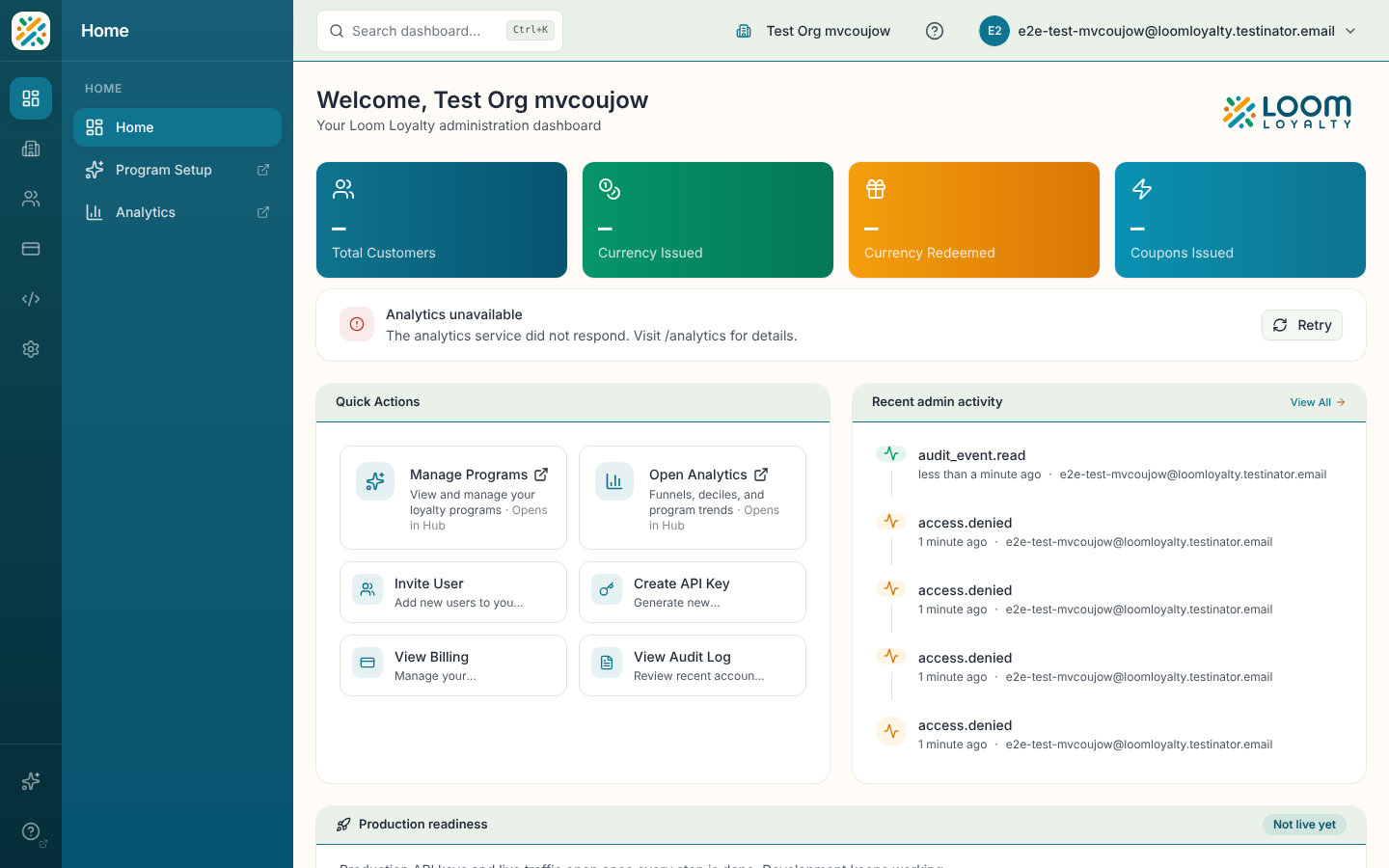
What's on the page
| Area | What it shows |
|---|---|
| Key metrics | Summary cards for your program. If your plan doesn't include analytics, a banner with a View billing button appears instead. If the metrics can't load, a banner offers a retry. |
| Quick Actions | Shortcuts, listed below. |
| Recent admin activity | The five newest events from the audit log. Select View All to open the Audit Log. It shows "No recent activity yet." when there are none. |
| Production readiness | A go-live checklist. See below. |
| Getting Started | Four steps for a new organization with no program yet. |
Use Quick Actions
- Select a tile under Quick Actions.
- Manage Programs opens your programs in the Hub in a new tab. Before you have a program it reads Create Your First Program and opens the guided setup instead.
- Open Analytics opens funnels, deciles and program trends in the Hub in a new tab.
- Invite User opens Users.
- Create API Key opens API Keys.
- View Billing opens Billing.
- View Audit Log opens the Audit Log.
Check production readiness
The readiness card shows Not live yet until every step in the Go-live checklist is done, then Ready to go live. Until then, production API keys and live traffic stay closed and development keeps working. Steps link to where you finish them, for example Review agreements opens Agreements and Choose a plan opens billing.
Getting Started checklist
When your organization has no program yet, a Getting Started card appears with four steps:
- Create a program: select Program Setup to use the guided wizard in the Hub.
- Configure your organization: select Go to Settings to open Details.
- Create API credentials: select Create Key.
- Invite users: select Invite Users.