Home
Home is the first page you see in the Hub. It gives you a quick read on the program and shortcuts to the pages you'll use most. The heading reads "Welcome to" followed by your organization's name.
What's on the page
From top to bottom:
- Setup panel. If your organization uses guided setup, a Set up Loom Loyalty panel lists the steps with a count such as "2 of 5 steps done". The next step is labeled Up next and has a Start button. Finished steps show Done, with who finished them and when. Use Collapse and Expand to hide the panel. Admins can skip a step that doesn't apply. When every step is done or skipped, the title becomes Setup complete.
- Summary cards. Customer, currency and coupon figures for a default date range, in your main currency. If your plan doesn't include analytics, the cards show a dash and a prompt to view billing. If the figures can't load, a banner offers a retry.
- Program Overview. Four cards: Programs, Tiers, Offers and Badges. Each shows a count and up to five entries. Select an entry to open its details, or View all to open the full list. An empty card has an Add button for that item.
- Quick Actions. Shortcuts to Program Setup, View Customers, Configure Offers and Analytics.
- Getting Started. Shown only when you have no programs and don't use the setup panel. It lists four steps: create a program, configure tiers, set up offers and add customers.
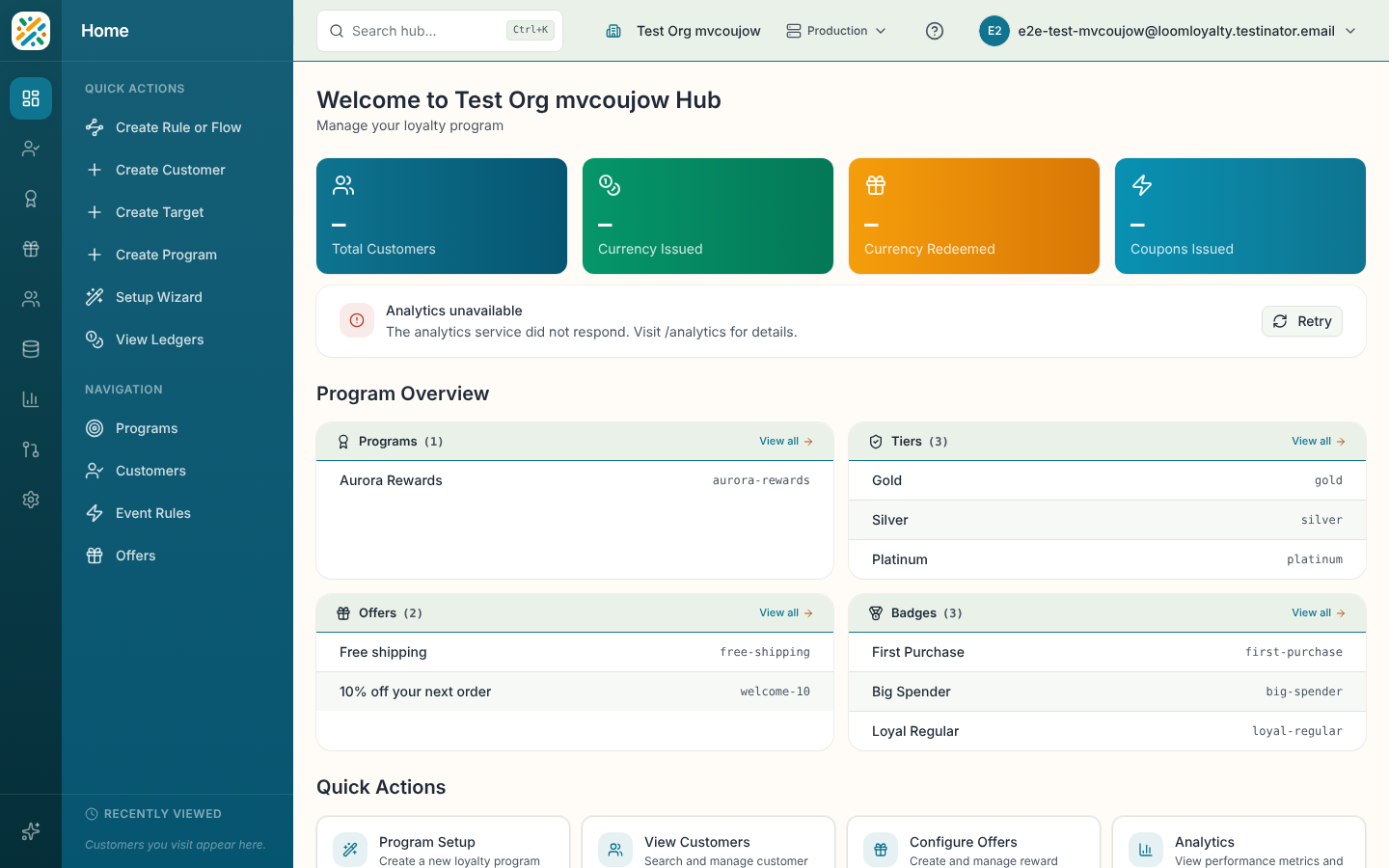
The sidebar quick actions
With Home selected, the side panel has a Quick Actions group (Create Rule or Flow, Create Customer, Create Target, Create Program, Setup Wizard, View Ledgers) and a Navigation group. Each item appears only if you have the matching permission.