Audiences
An audience is a named group of customers. Use one when a rule, flow or offer should reach "everyone in the VIP list" or "customers who haven't visited in 30 days" rather than a single person. There are three kinds: a fixed Customer List, a rule-built Customer Segment, and an AI-generated segment.
Before you start
Reading audiences needs the audiences read permission. Creating one needs the audiences write permission, and Create Audience is hidden without it.
Browse audiences
Open Audiences. The table shows each audience's type, name, members, status, version and when it was created and last changed. Narrow it with the search box and two filters:
- All Types: Customer List or Customer Segment.
- All Engines: Rule-Based or AI-Generated.
The sidebar also has quick filters: Customer Lists, Rule-Based Segments and AI Segments. You can save a combination of filters as a view from the views menu. With no match you'll see "No audiences match your filters"; with none at all, "No audiences found. Create your first audience to get started."
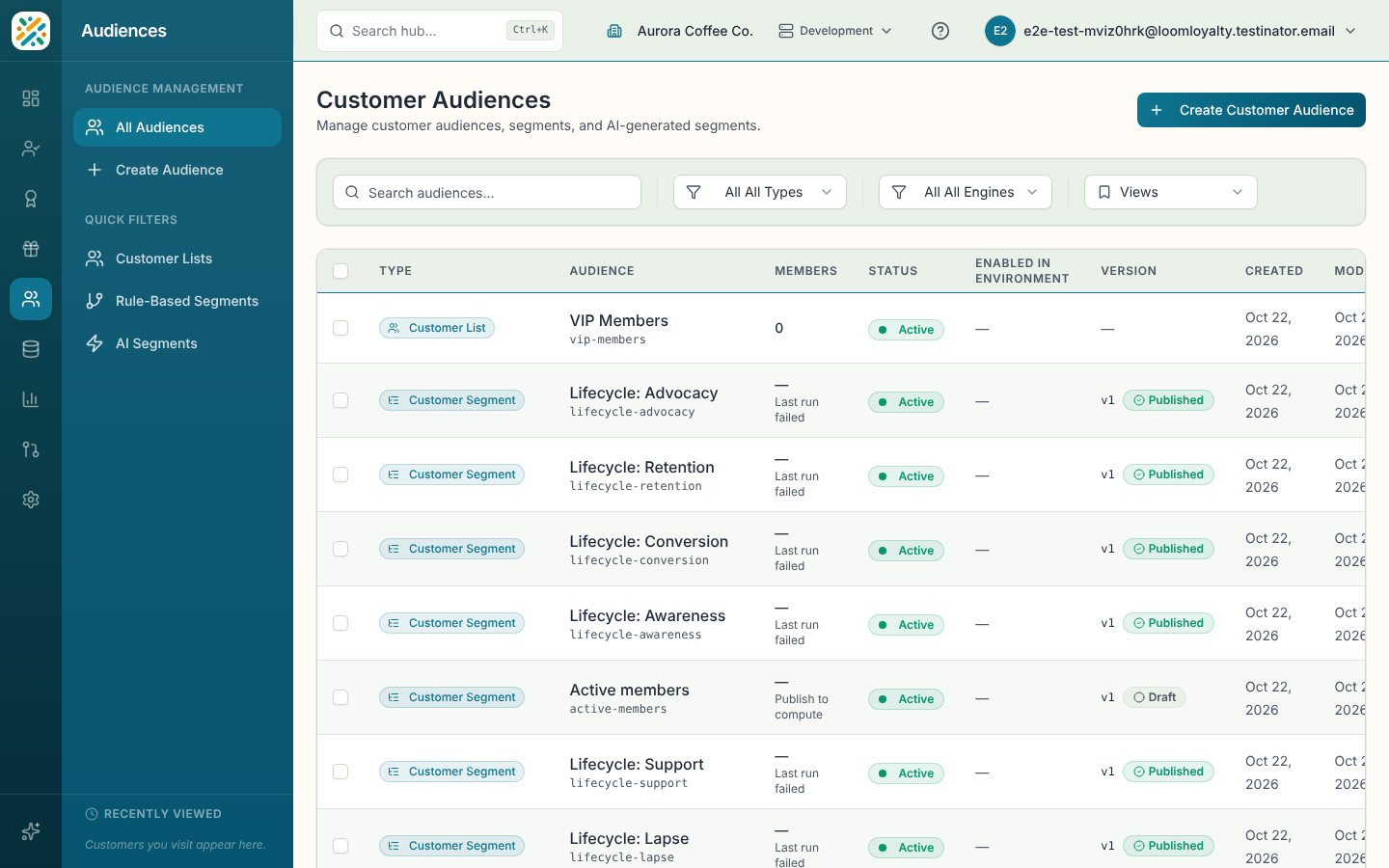
Select a row for a summary sheet. Row actions are View details, Edit, Delete and Enable in Environment. You can select several rows to enable them together. For what enabling involves, see Changes.
Create an audience
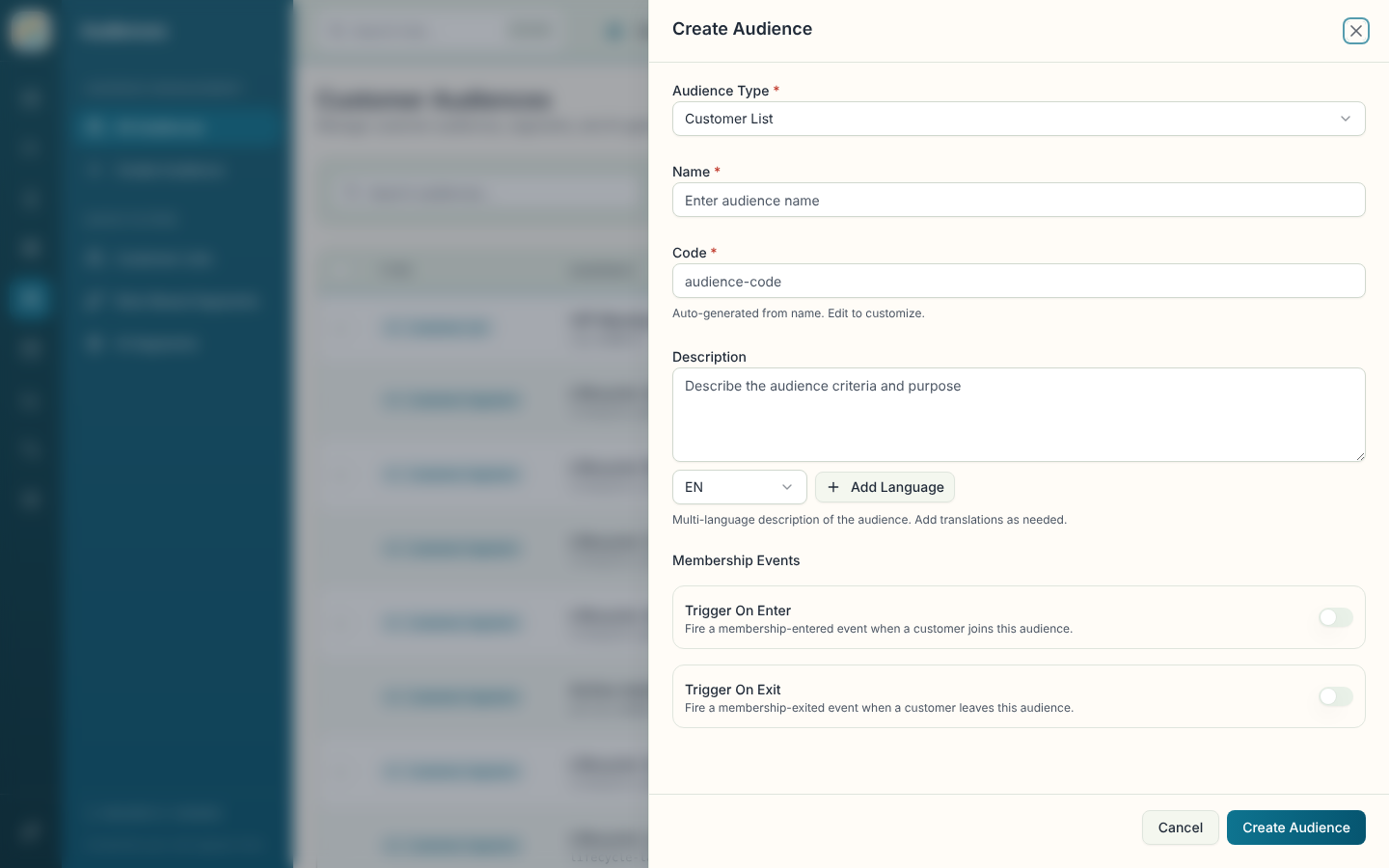
- Select Create Audience.
- Choose an Audience Type: Customer List, Customer Segment or THREADS Segment. You can't change the type later.
- Enter a Name. The Code fills in from it, and you can edit it before saving.
- Add a Description if useful. It can have translations.
- Decide on Membership Events. Turn on Trigger On Enter to fire an event when a customer joins, and Trigger On Exit for when they leave. Turn on Trigger On Enter if a rule should run when someone joins an audience that is based on their history.
- For a Customer Segment, build the conditions in Segment Expression. For a THREADS Segment, you can add Seed Behaviors (comma-separated tags, such as "purchase, browse") and a Target Size Hint.
- Select Create Audience.
Customer Segments have versions. A published version is live, and you can create a new draft version from it to change the conditions and publish again.