Customer search
The Customers page is search first. It doesn't list everyone on load. You type what you know about a customer, and matches appear as you go. Use it to look someone up, open their profile or add a customer manually.
Before you start
You need permission to read customers. Creating customers needs the customer write permission, and the Create Customer button only appears when you have it.
Find a customer
- Open Customers then Search.
- Type in any of the fields in Search customers: First name, Last name, Email, Phone or Company.
- Type at least 3 characters in at least one field. Until you do, the form shows how many more characters it needs. Results appear automatically after a short pause, with a Live results indicator.
- Pick how text is compared with Match mode: Contains, Starts with, Exact match or Ends with. Use the clear button to reset every field.
- Select a row to open the customer's profile. The row's preview action opens a side sheet with a quick summary first. From there, you can edit, delete or go to the full profile.
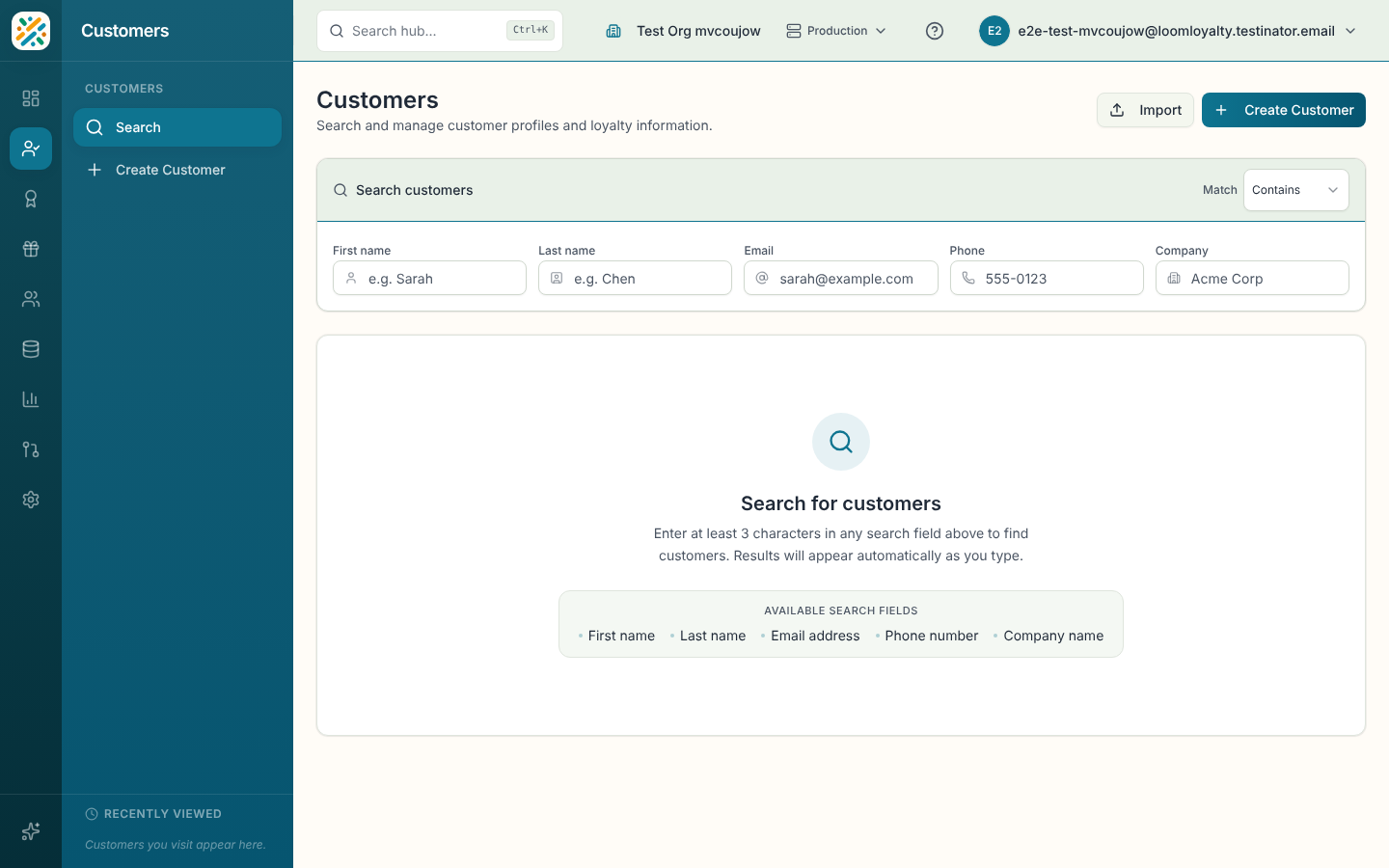
If nothing matches, you'll see "No customers found". Try fewer characters or a different match mode. Before you search, the page shows customers you opened recently so you can jump back to them. You can remove one or clear the list.
Create a customer
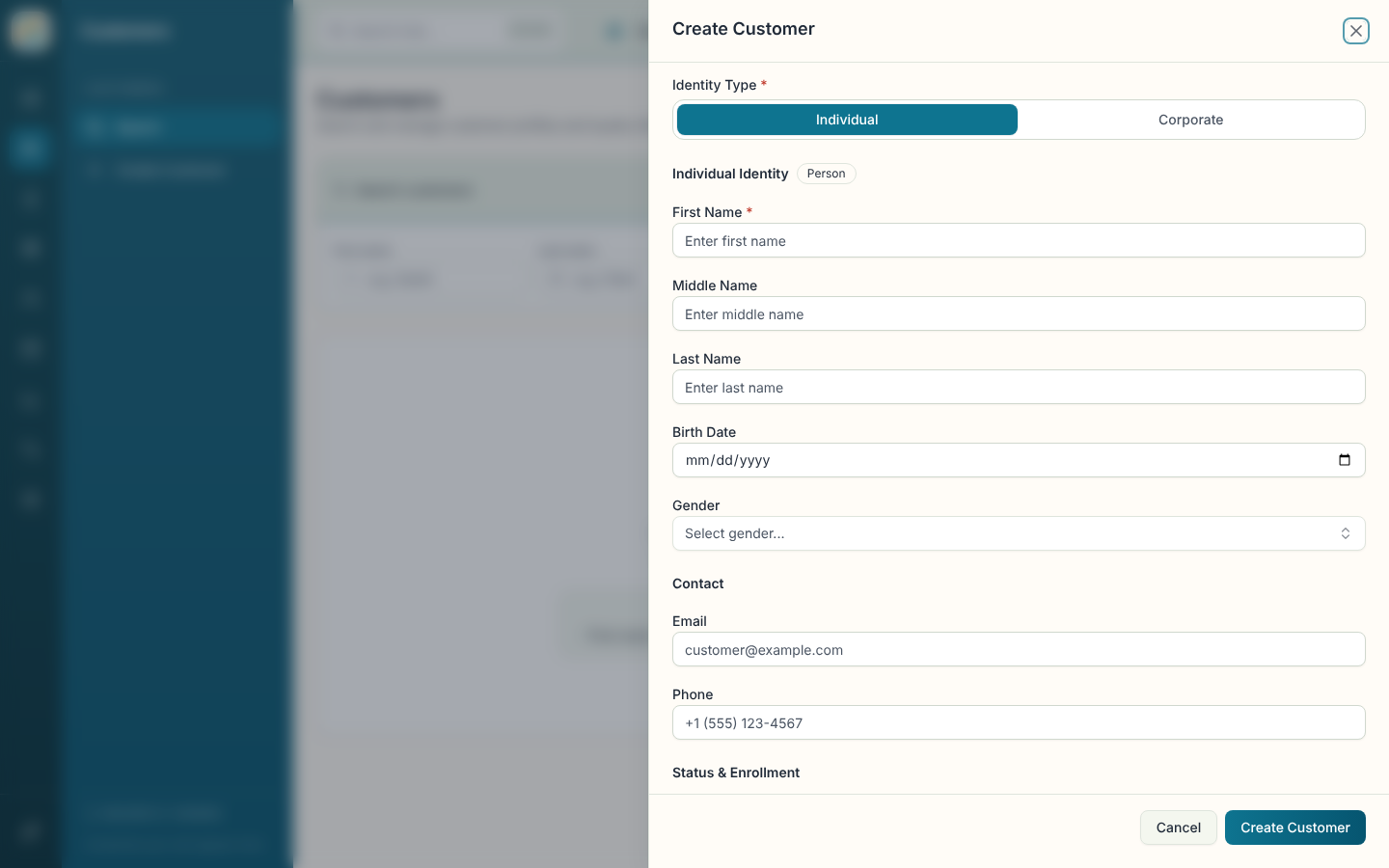
- Select Create Customer. The same action is in the sidebar and in Home quick actions.
- Choose an Identity Type: Individual or Corporate. You can't change it later.
- For an individual, fill in the name details (first name is required) plus optional Birth Date and Gender. For a corporate customer, enter the Company Name and optional Company Code.
- Add Email and Phone if you have them.
- Under status, set Customer Status, Fraud Status, Enrollment Channel and External ID as needed. Your organization may also show extra fields.
- Select Create Customer. You go straight to the new customer's profile.
Edit or delete
Row actions include Edit and Delete. Delete asks you to confirm, because it permanently removes the customer and all their loyalty data. To remove personal data while keeping a record, use De-identify Data on the customer's profile instead.