Single Sign-On
Single sign-on lets your team sign in to the Dashboard and the Hub through your own identity provider instead of a separate Weave password. You set up and manage the connection on this page.
Before you start
SSO comes with the Single sign-on & domain verification add-on, which also covers Domains. Until it's on, this page shows an add-on notice instead of the setup screen. What the notice offers depends on your plan:
- Plans that include the add-on show a Turn on button. It costs nothing.
- Otherwise admins get a link to Features to see the price and buy it. If you've started a purchase, the link reads "Finish purchase in Features". If the add-on lapsed, it reads "Renew in Features".
- If you can't make changes, the notice tells you to ask an organization admin.
You also need the widgets:sso:manage permission. Without it the page says "Access Restricted" and "Requires administrator access".
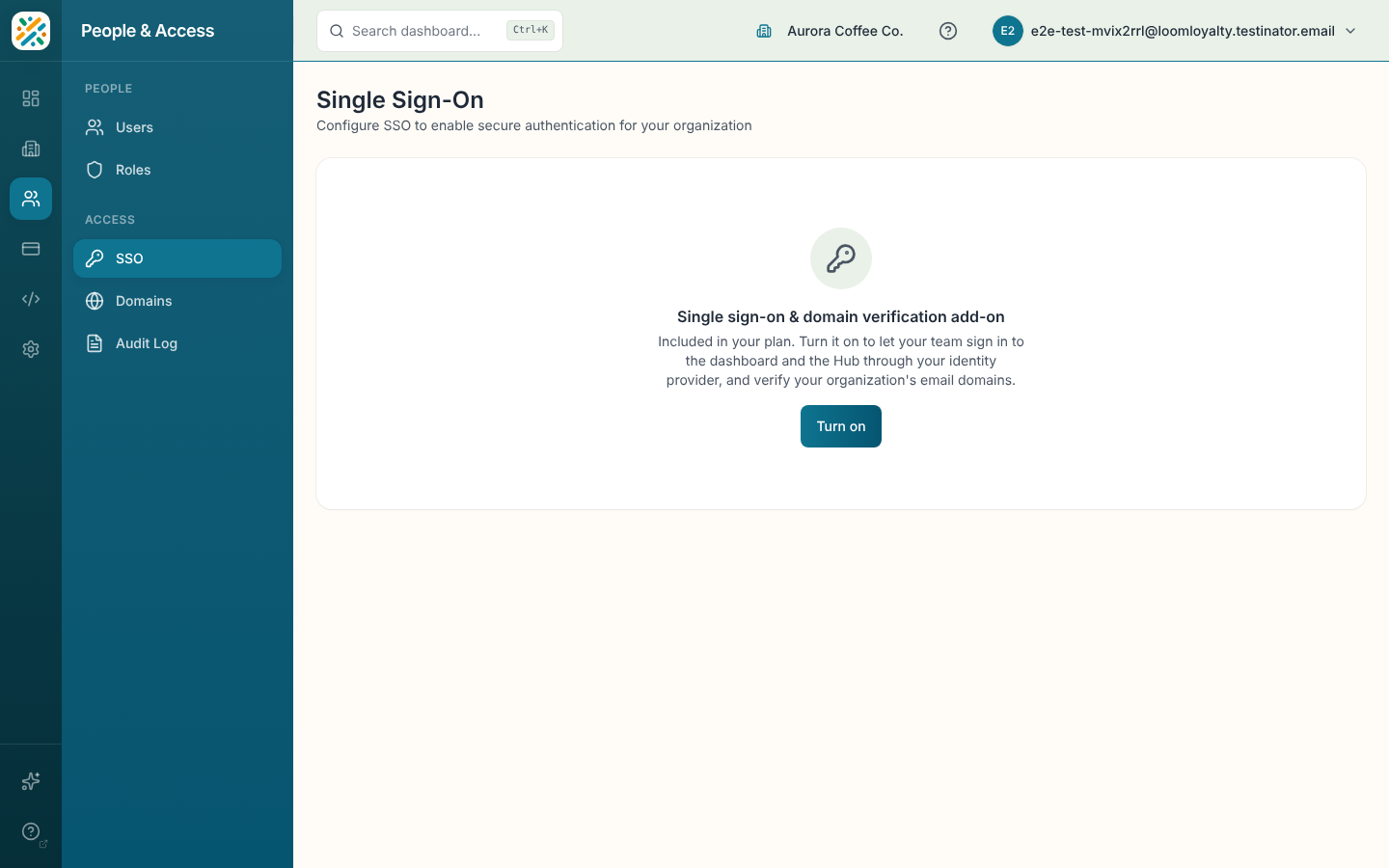
Set up the connection
Once the add-on is on, the page loads the connection setup, the same hosted screen for configuring your identity provider. Follow its steps to add your provider and finish the connection. If it doesn't load, you'll see "Unable to Load" with a Try again button.
If you've just turned the add-on on and see "Finishing setup", wait a minute. If that message doesn't go away, contact your account team.
Turning the add-on off
If you cancel the add-on, SSO keeps working until the end of the billing period. A banner above the setup screen says when it turns off and links to Keep in Features.