Targets
A target is a goal members can achieve. "Buy 5 coffees, get 1 free" is a target with a counter, and "complete three onboarding tasks" is another kind. Event rules and flows count activity toward targets and reward customers when they get there.
Before you start
You need event-engine:targets:read to see the list and write access to create or change one. Choose the target type carefully: it can't be changed after creation.
Find a target
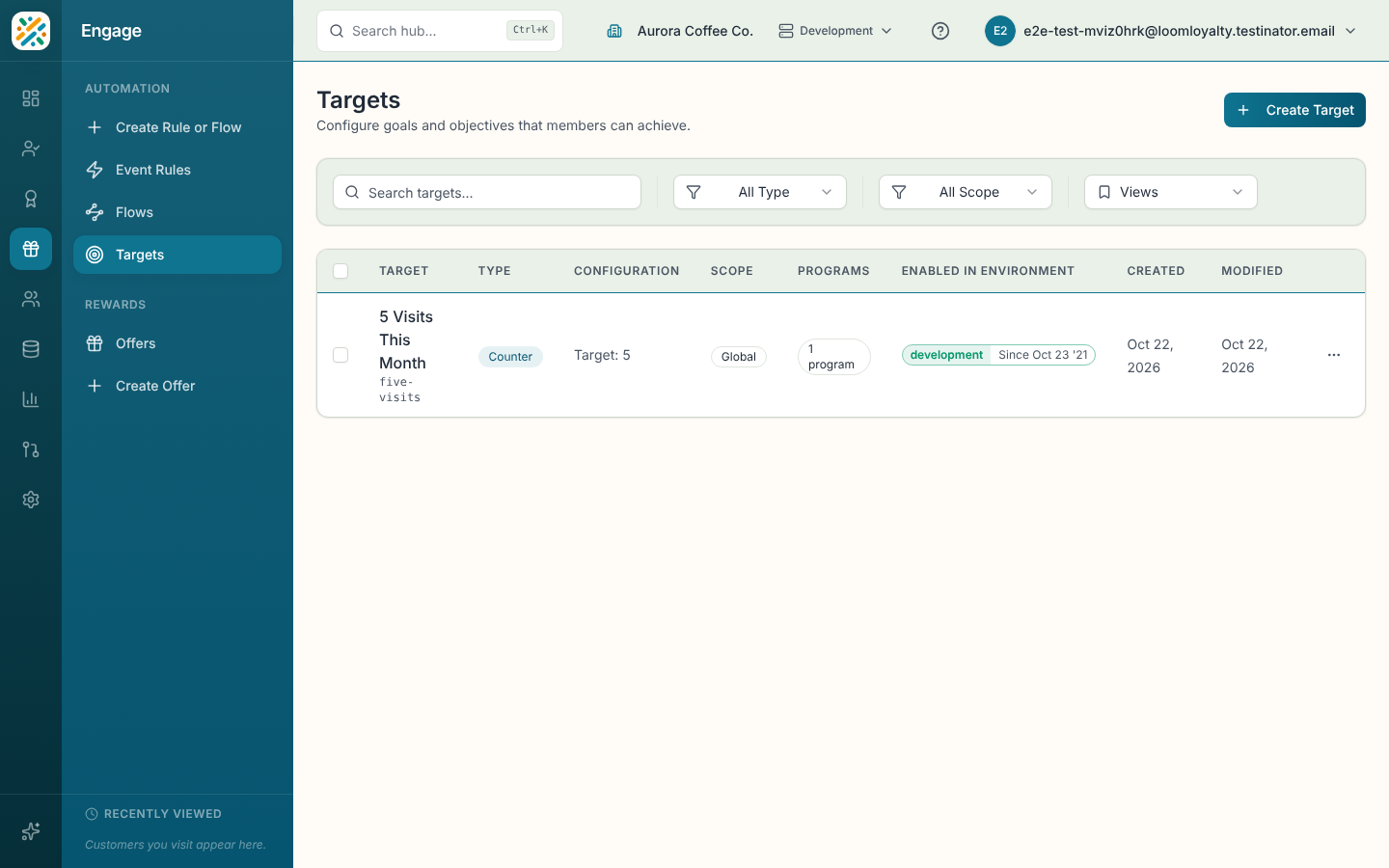
Open Engage, then Targets. The table shows each target's name, type, configuration, scope, programs, and when it was created and modified. Search by name or filter by Type and Scope. Select a row for its details. The row menu has View details, Edit, Delete and Enable in Environment, and you can enable several at once by ticking rows.
Create a target
- Select Create Target.
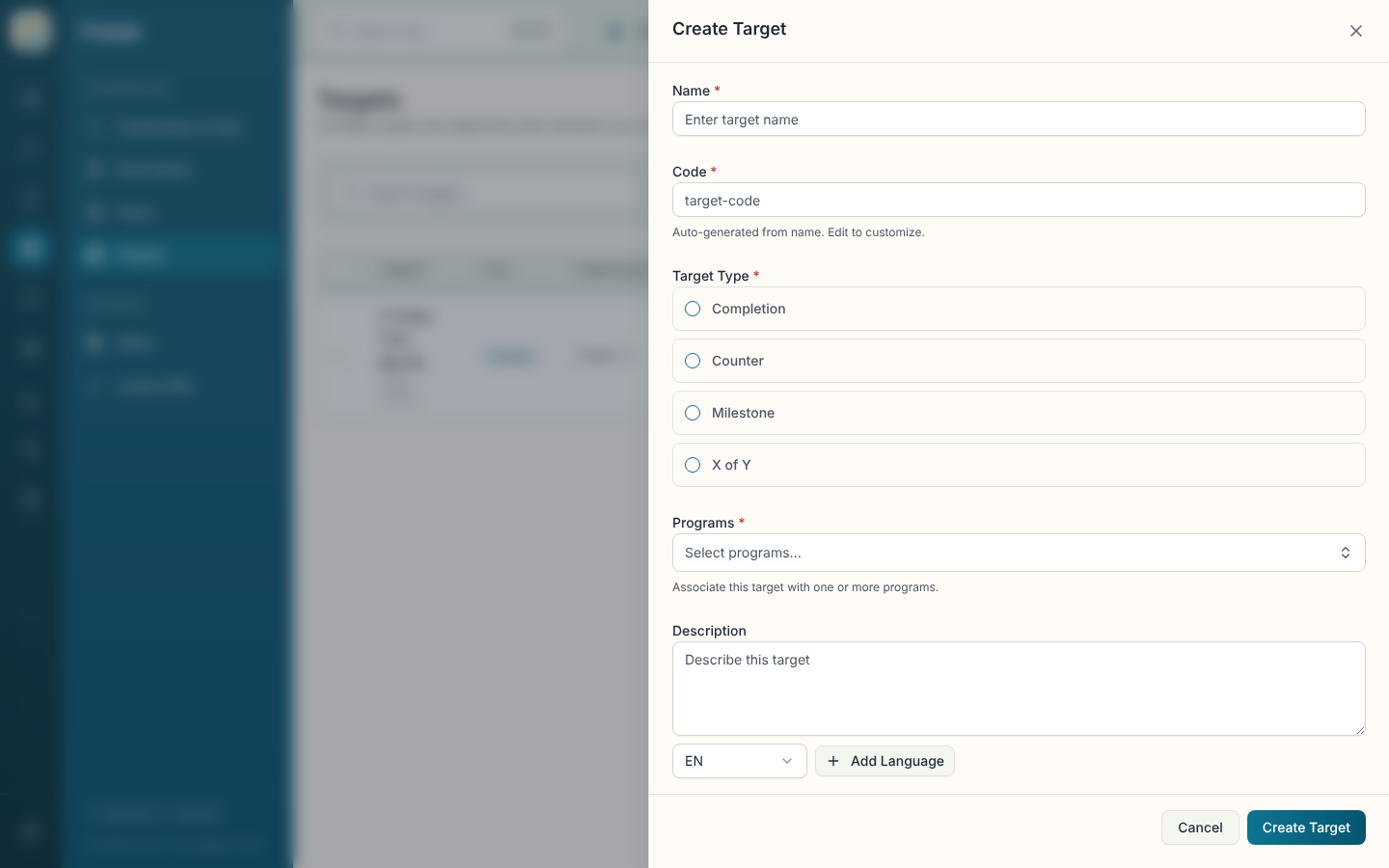
- Enter a Name. Code is generated from it ("Auto-generated from name. Edit to customize.").
- Choose the Target Type (see below).
- Choose one or more Programs. Add a Description and a Scope if you want one. Scope is Global, Program, Rule or Event.
- Fill in the configuration section that appears for your type.
- Select Create Target.
Target types
| Type | Use it for | What you set |
|---|---|---|
| Completion | Something that is done or not done. | A completion target type. |
| Counter | Counting up to a number, like a punch card. | A counter target type and a Target Value. |
| Milestone | An ordered series of other targets. | A milestone target type and Steps (at least 2), which you add with Add Step and reorder with move up and move down. |
| X of Y | Hitting some of a group. | An X of Y type, Complete (X) and the Available Targets (Y). |
Counter targets have some extras. Tick Capping target when the number acts as a limit rather than a goal. Cycle Configuration adds a Number of Cycles, Cycles to Achieve, Must be consecutive and Carry over to next cycle, and cycles to achieve can't exceed the number of cycles. Growth Configuration raises the goal each cycle with a Growth Operator (add, subtract, multiply or divide), a Growth Operand and a Growth Algorithm.
Using a target
Reference a target from an event rule's Caps & limits section, or from a flow step's Caps. A rule that rewards the customer when a counter is reached is a separate rule from the one that counts each purchase.