Enable-in-Environment Policies
An enable policy sets the approval rules for enabling entities in a target environment. For example, a coffee chain might have a policy that sends anything headed for production through an approval first. Use this page to see your policies, create new ones and remove the ones you no longer need.
Before you start
You need permission to read enable policies to see the page. Policies point at a target environment by its code, so create the environment first on the Environments page.
Find a policy
- Open Organization and select Enable Policies.
- Search with the Search enable policies... box, or narrow the list with the All Environments filter.
- Read the table: Policy (name and code), Target Environment, Entity Types, Status (Active or Inactive), Auto-Enable and Created.
- Select a row, or View details in its menu, to open the details panel.
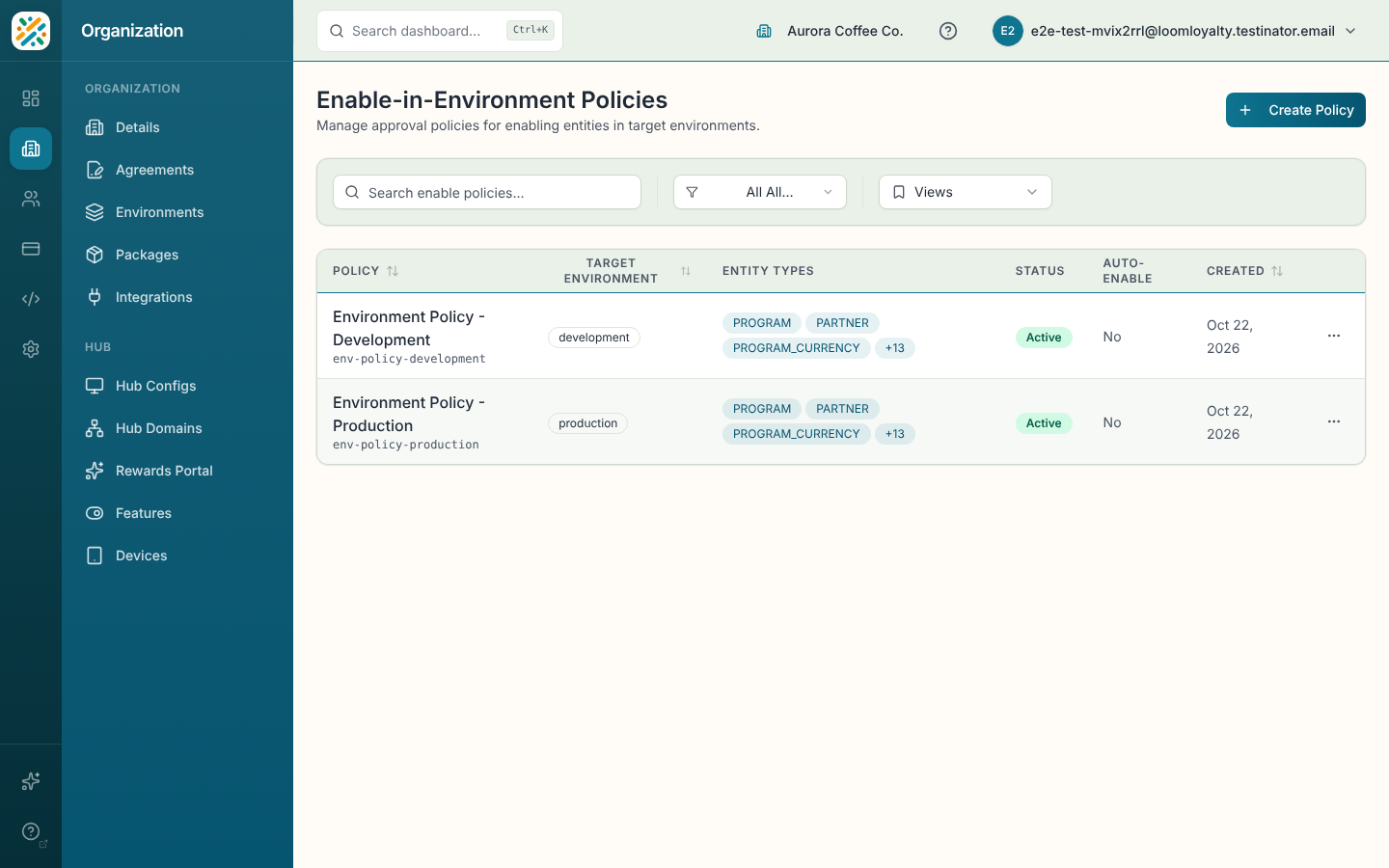
You can save a combination of search and filters as a saved view from the views menu.
Create a policy
- Select Create Policy.
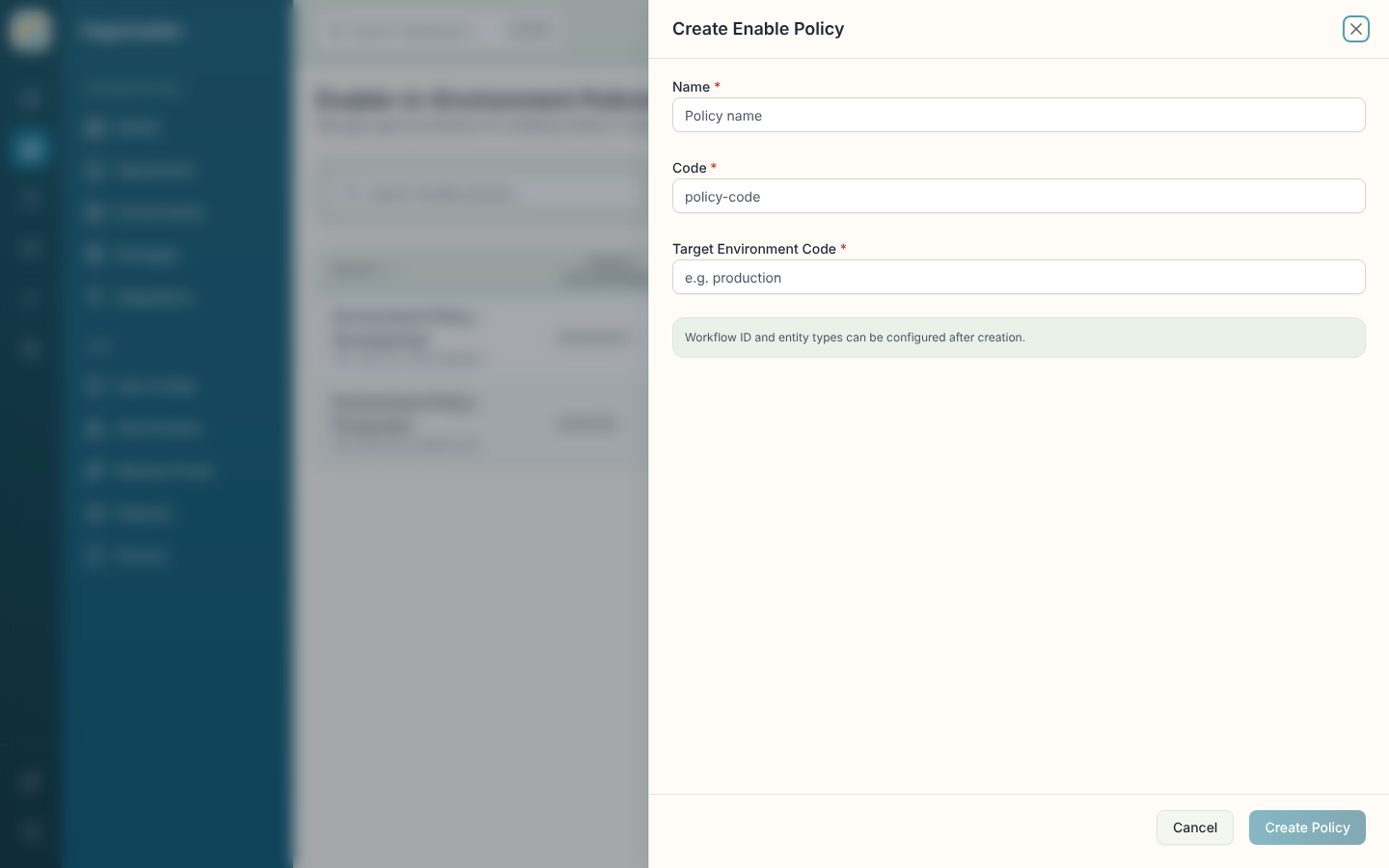
- Enter a Name and a Code.
- Enter the Target Environment Code, for example
production. - Select Create Policy.
Workflow ID and entity types can be configured after creation.
Read a policy's details
The details panel groups the policy into General (name, code, status, auto-enable), target environment and workflow, Entity Types, Timestamps and the policy ID.
Delete a policy
- Select a policy and choose Delete Policy, or choose Delete in the row menu.
- Confirm with Delete. This can't be undone, and entities currently using the policy may lose their approval workflow.