Metadata Types
Metadata is the reference data your program points at: the stores in a region, the products in a catalog, the brands you run. A metadata type is the category those entries belong to, so you create the type once (say, "Store") and then add the individual stores under Metadata.
Before you start
You need the metadata:metadata:read permission to see the page.
Create a metadata type
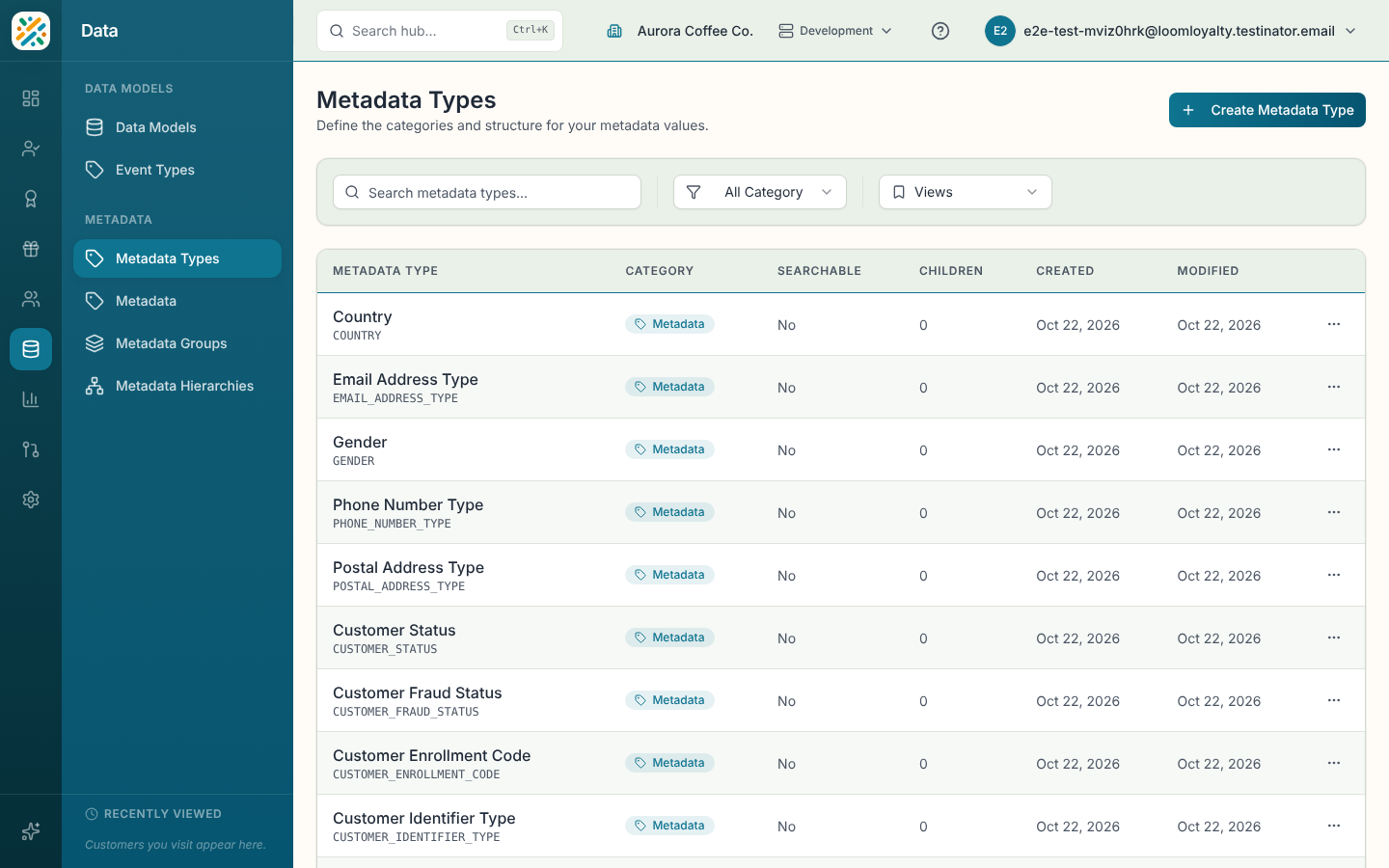
- Select Create Metadata Type.
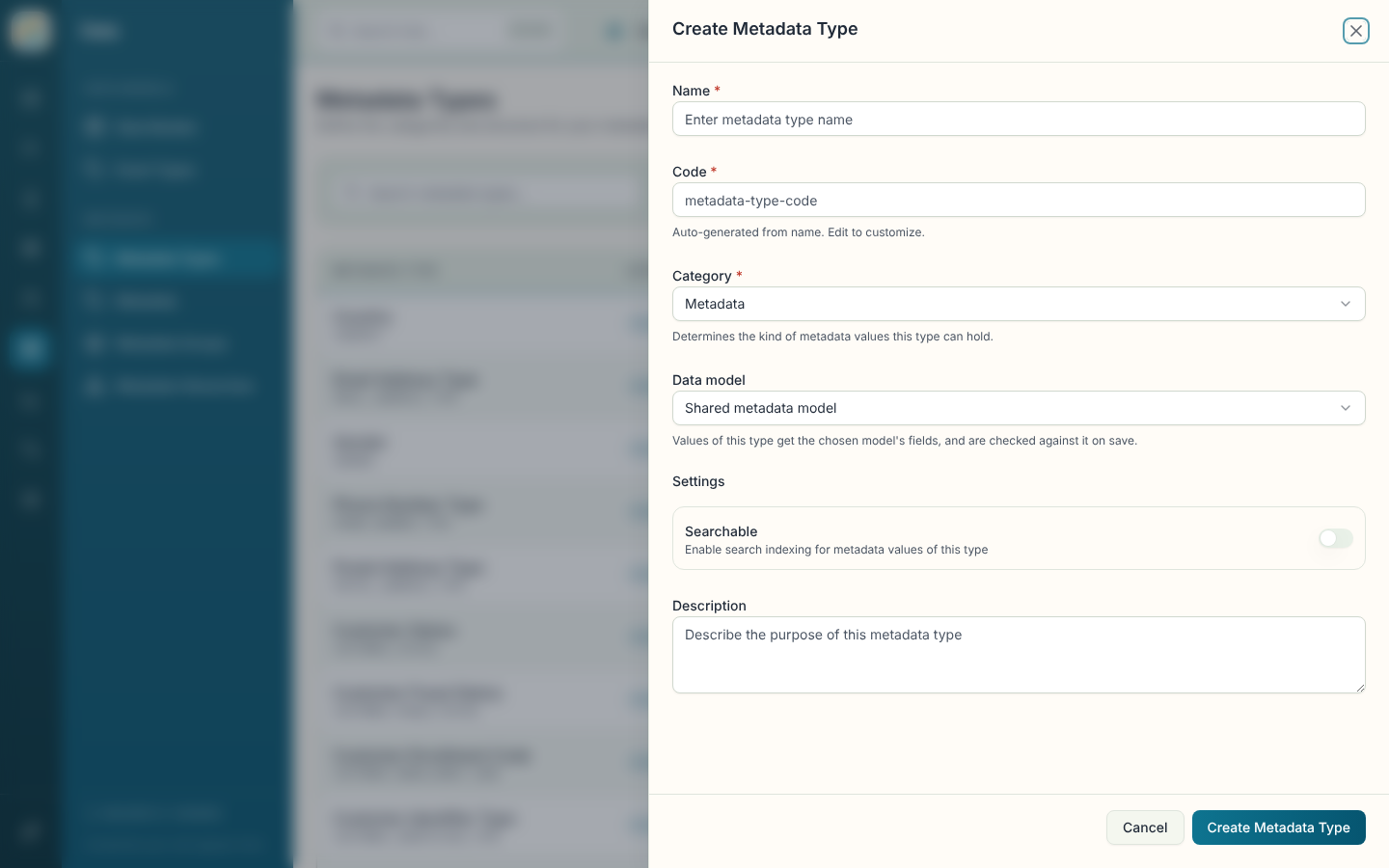
- Enter a Name, for example
Store. The Code fills in from the name. Edit it if you want something different. - Pick a Category. It decides what kind of values the type can hold, and you can't change it later.
- If the category is Metadata, you can choose a Data model to give the values extra fields. Leave it on Shared metadata model to use the default. Values of the type are checked against the chosen model when you save them.
- Turn on Searchable if you want values of this type indexed for search.
- Add a Description if it helps your team, then select Create Metadata Type.
Categories
| Category | Use it for |
|---|---|
| Metadata | General reference values such as brands or regions. |
| Location | Places, with address details. |
| Item | Products, with a variant ID, SKU and UPC. |
| Data Type | Values tied to a data model. |
The category also decides which extra columns the CSV import accepts.
Browse and filter
The table shows Metadata Type (name and code), Category, Searchable, Children, Created and Modified. Filter by Category or search with Search metadata types.... The newest types come first.
Link types as parents and children
Select a row to open its details. Besides name, code, category, description and the Searchable flag, the panel has Parent Types and Child Types. Use Add a parent type or Add a child type to link types, and the unlink button on a linked type to remove the link. This is what lets an entry sit under another, such as a store under a district. To browse the result as a tree, see Metadata Hierarchies.
Edit or delete
Use Edit in the panel or the row menu to change a type's name, description or settings. The code and category are fixed once the type exists.
Delete is permanent and may affect the metadata values of that type.