Pending Rules
A pending rule keeps newly earned points out of reach for a while. A hotel might hold points until checkout, or a shop might wait 30 days so returned purchases don't leave customers with points they shouldn't have. When the rule releases them, they become available. You attach the rule to a currency.
Before you start
You need the program-bank:program-currencies:read permission and at least one program. Create and edit controls show only when you're allowed to change pending rules.
Find a rule
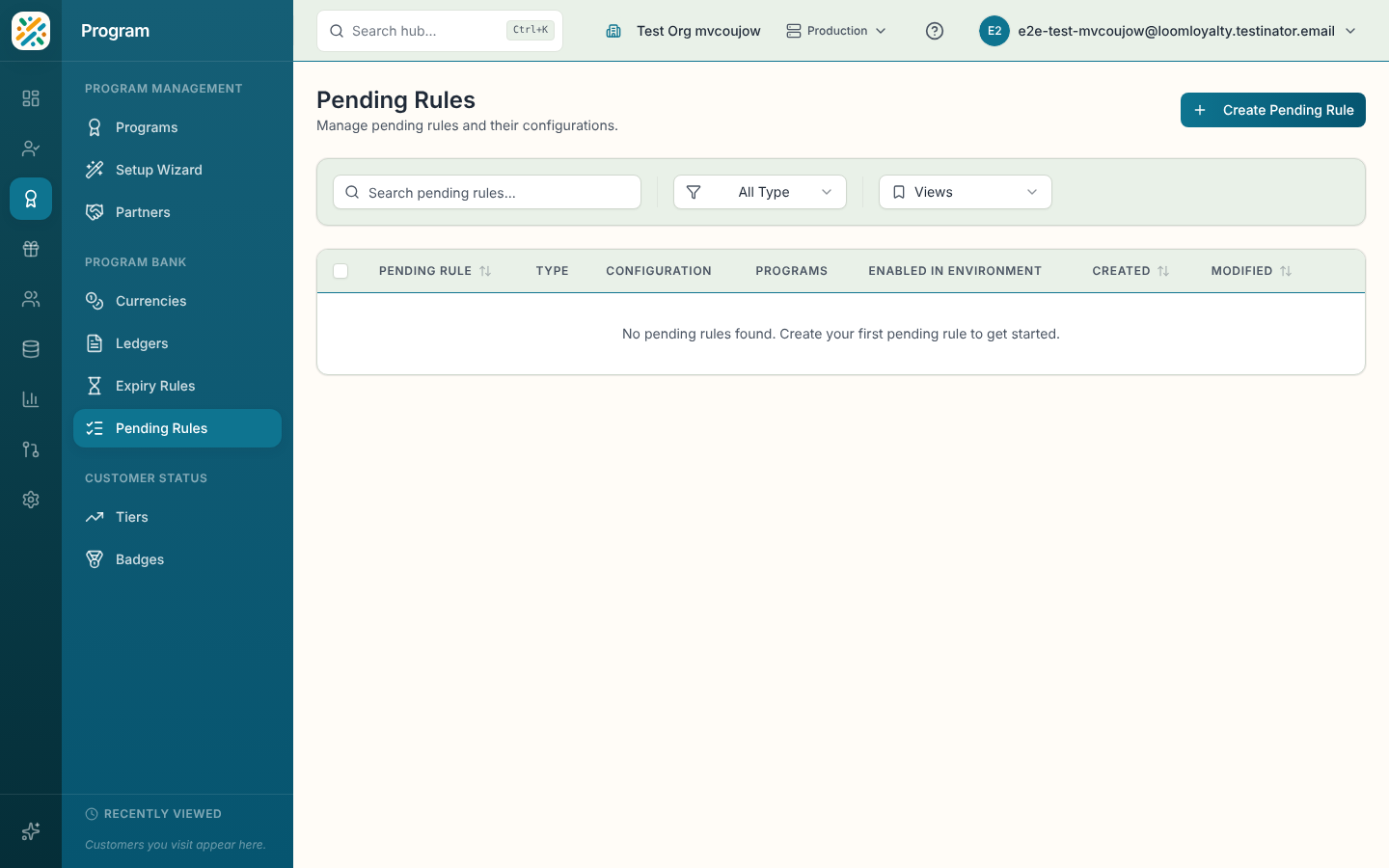
Columns: Pending Rule (name and code), Type, Configuration, Programs, Created and Modified. Use Search pending rules... and the Type dropdown, and sort by name, code, created or modified date. With none yet you'll see "No pending rules found. Create your first pending rule to get started."
Create a pending rule
- Select Create Pending Rule.
- Enter a Name, check the Code, and choose at least one Program.
- Choose a Pending Rule Type.
- Complete any extra fields that appear, then select Create Pending Rule.
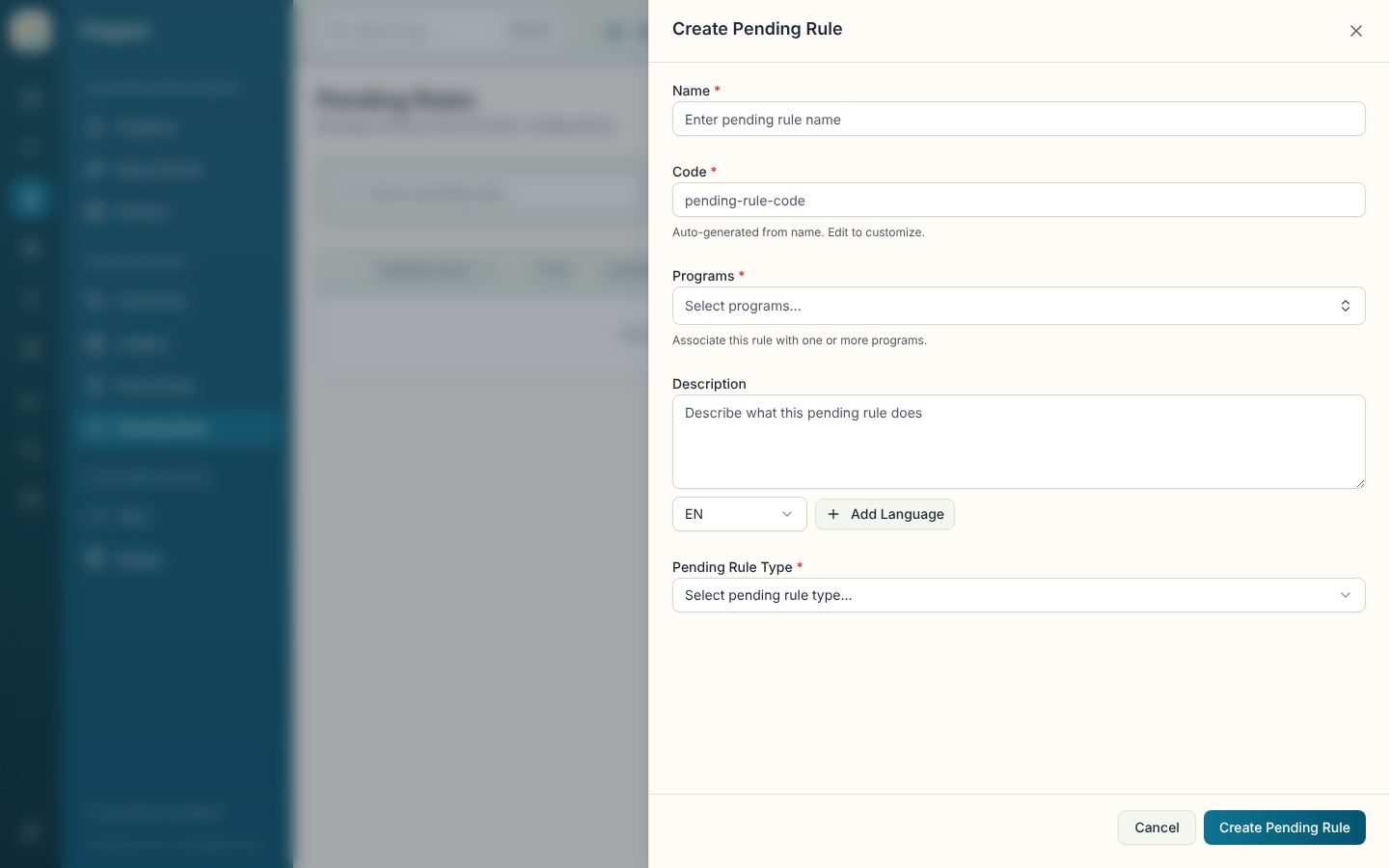
| Field | What it does |
|---|---|
| Name (required) | Display name. |
| Code (required) | Unique identifier, generated from the name. Locked after creation. |
| Programs (required) | Programs the rule applies to. |
| Description | Multi-language note on what the rule does. |
| Pending Rule Type (required) | How points are released. See below. |
| Period and Value | For Fixed Period and Rolling Period: Days, Weeks, Months or Years, and a number of at least 1. The period is required. |
| Pending Date | For Fixed Date. Required. |
| Additional Information | Extra fields from your data model, if any. |
The types:
- Fixed Date: points pend until a specific date.
- Fixed Period: points pend for a fixed time period.
- Rolling Period: points pend for a rolling period counted from when they were acquired.
- Manual: points need explicit approval before they're released.
- Pending on Item: points resolve based on the status of the associated item.
Manual and Pending on Item add no extra fields. The sheet shows a short note explaining how they release points instead.
Open, edit, delete or enable a rule
The details sheet shows Name, Code, Description, Type, Configuration, programs, timestamps and the rule ID. Edit and Delete are on the sheet and in the row menu. Deletion is permanent and may affect currencies that use the rule. Enable in Environment is covered on the Programs page.