Tiers
Tiers are the status levels in your program. A coffee chain might have Bronze, Silver and Gold, with Gold being the one regulars chase. Each tier has a rank, can apply to several programs, and can expire into a lower tier after a set time.
This page defines the tiers themselves. How customers earn their way into one is set up elsewhere, for example with targets and event rules, or by the Setup Wizard, which can build a tier ladder for you.
Before you start
You need the customer-status:tiers:read permission and at least one program. Create and edit controls only show when you're allowed to change tiers.
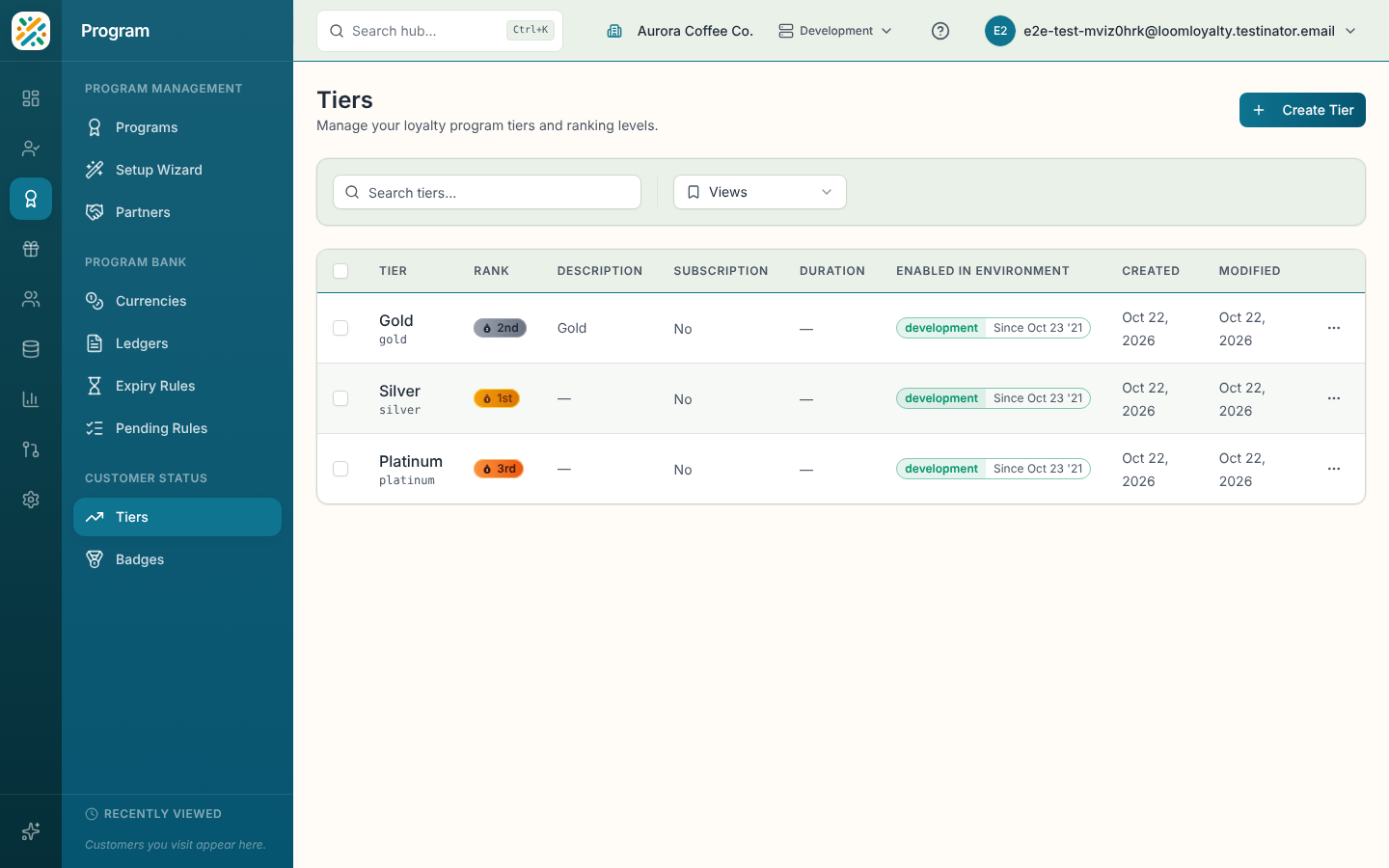
Find a tier
Columns: Tier (name and code), Rank, Description, Subscription, Duration, Created and Modified. Use Search tiers... to find one. An empty list says "No tiers found. Create your first tier to get started."
Create a tier
- Select Create Tier.
- Enter a Name, check the Code, and set the Rank.
- Choose the Programs the tier belongs to.
- Optionally set a duration and a downgrade path (below).
- Select Create Tier.
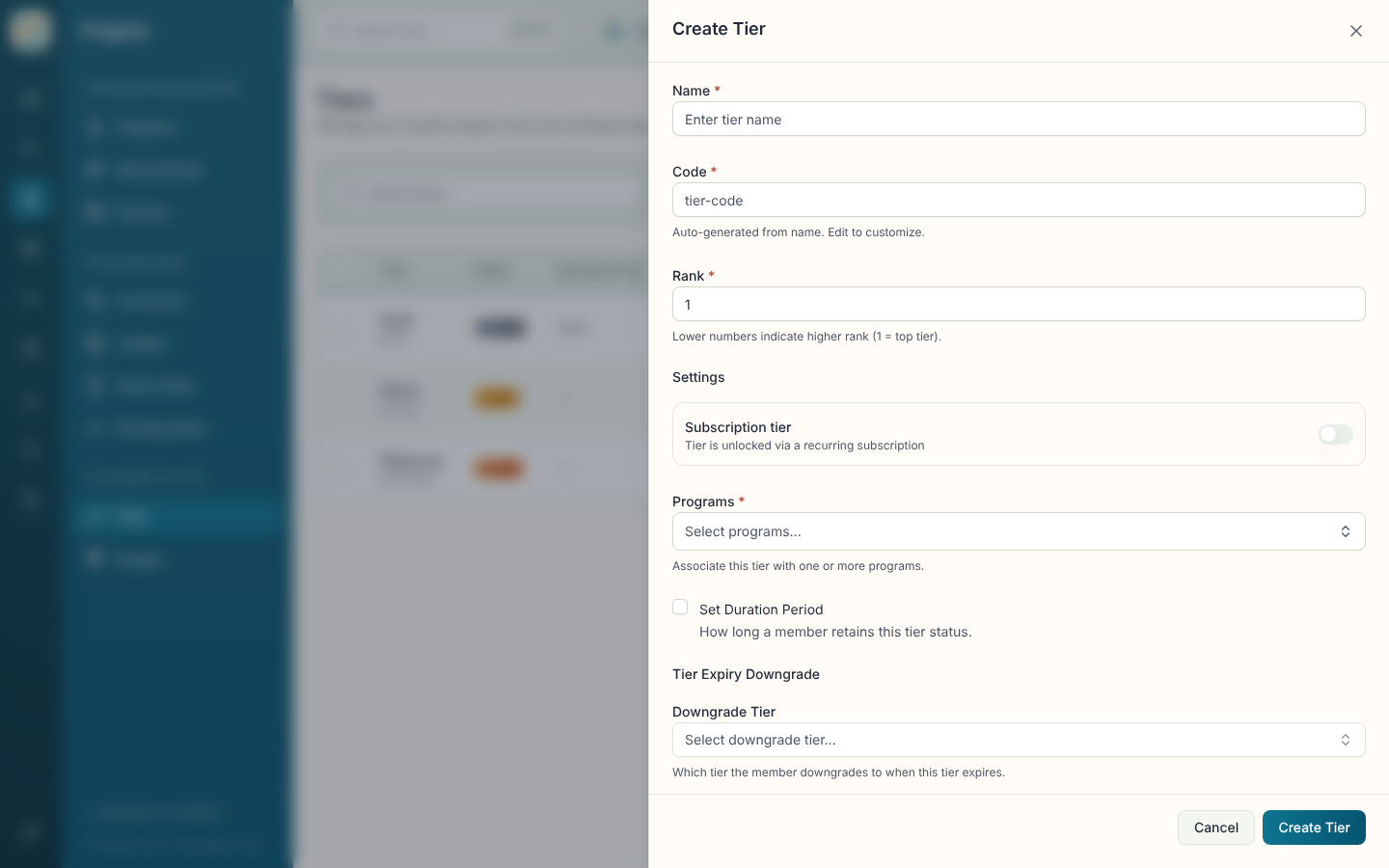
| Field | What it does |
|---|---|
| Name (required) | Display name, for example "Gold". |
| Code (required) | Unique identifier, generated from the name. Locked after creation. |
| Rank (required) | A whole number of at least 1. Lower numbers are higher ranks, so 1 is the top tier. It starts at 1. |
| Subscription tier | Switch on if the tier is unlocked through a recurring subscription. |
| Programs (required) | Programs this tier belongs to. |
| Set Duration Period | Tick to set how long a member keeps this tier. Reveals Period Type (Sliding, Calendar or Fixed), Duration Value, Period Unit (Days, Weeks, Months, Years), Start Date and an optional End Date. |
| Downgrade Tier | The tier a member drops to when this one expires. You can't pick the tier you're editing. |
| Downgrade Duration | Tick to set how long the member stays at the downgraded tier. It has the same period fields as the duration. |
| Description | Multi-language description of benefits and requirements. |
| Additional Information | Extra fields from your data model, if any. |
The downgrade settings sit under their own Tier Expiry Downgrade heading, below Programs.
Open, edit, delete or enable a tier
The details sheet shows Name, Code, Description, Rank, Subscription, Duration, any downgrade tier and its duration, the associated programs and timestamps. Edit and Delete are on the sheet and in the row menu. Deleting is permanent and may affect customers who hold the tier. Enable in Environment is covered on the Programs page.